
I’ve recently bumped into a problem where, on occasion, I get duplicate menu items in my right-click pop-up on the OS X desktop, when I select Open With.
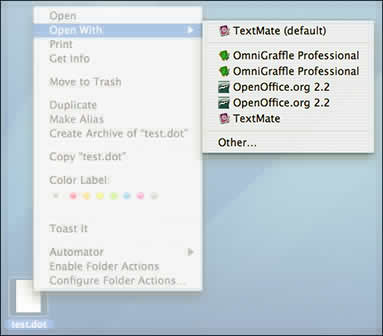
Turns out this is merely an indicate that the database for LaunchServices needed to be fixed.
And, in fact, this was covered over at Mac OS X Hints a while back. But, given that I had need to look up the command more than once, I present it here.
Inside Terminal, enter:
/System/Library/Frameworks/ApplicationServices.framework/Frameworks/LaunchServices.framework/Support/lsregister -kill -r -domain local -domain system -domain user
You don’t even need to enter your administrator password, nor do you need to reboot.
 OnyX allows you to also rebuild the LaunchServices by going to the Maintenance / Reset panel. Though there are a number of other ways to reset launch services for each version of OS X.
[Also see: Technical Note TN2017]