Archive for the 'Photography' Category

Jaw Dropping Photo Retouching

Saturday, June 28th, 2008

In addition to capturing the perfect image and having the perfect lighting, you also need to know how to do photographic retouching.

While many of these sources revolve around Adobe’s Photoshop, you can also use Corel’s Painter, Gimp, GimpShop, or even Pixelator.
Yes, you know to shoot in RAW mode.

You may even know about Raw Developer, to eek out what your photo editing software can’t.

Huey Pro by PantoneYou might even know about the Pantone Huey Pro, which is the dual-monitor color calibration device.

Forget everything you know or think you know, here are the sources you need for high-end professional photo retouching!

Color Correction


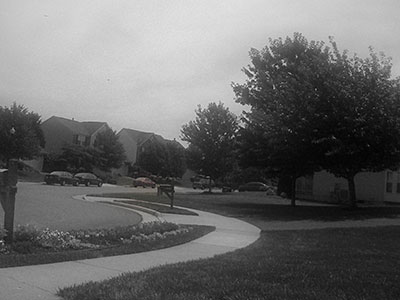
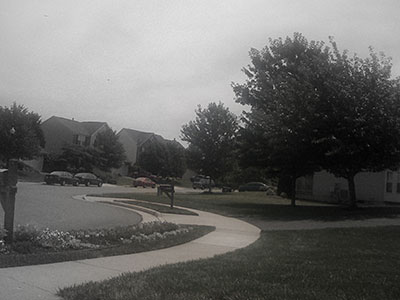
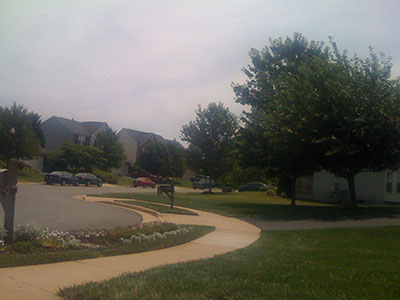
A good photo has to take into account its color space, and it turns out the simple color wheel model is actually fairly simplistic. A color space looks more like a stretched and distorted multi-dimensional field. By deliberately contorting the color space, it’s possible to do everything from white-balance to invoke moods to increasing contrast.

Additionally, your camera has the ability to pick up more detail that you’re able to discern or your monitor can display. By stretching and twisting the color space, you can draw out more details in areas where you need it.


Digital Color Correction


The Complete Guide to
Digital Color Correction

(1-57990-543-9)

Instead of using the Levels control, building a strong command of advanced Curves will do wonders. Curves can be used on different channels. And, with selective masking, it’s possible to create images that are physically impossible for a camera to capture.

Curves effectively do a translation, but instead of linear relationship, the change can be dramatic in some places, less so in others. Think of it like a color spectrum on a rubber band, you can stretch portions of it.

The eye dropper tools in the Curves dialog help identify what should be considered white, what should be considered midtone, and what should be considered black for transformation. It may come as a surprise that it might not be ideal to have a pure black or a pure white.

Mastery of Curves allows you to deal with under exposed, over exposed, and color casted images. With a well exposed picture, it will help make the subject pop. It also affords some very clever use of creative coloring. And let’s not forget controlled desaturation can lead to many splendid images.

Once you learn how to really use Curves, you’ll have no need for Levels.

Photoshop LAB Color


Photoshop LAB Color
(0-321-35678-0)

Certain color-space models play off of different strengths. Color need not be RGB.

Print, for instance, looks great when CMYK is used.

It turns out that for drawing out detail, LAB color space makes a world of difference.

LAB space is magical because it puts the luminance on it’s own channel. The tradeoff is that red/green become opposites on the ‘a’ channel, and blue/yellow become opposites on the ‘b’ channel. This works well, as often it’s the brightness you want to affect without washing out the color. For instance, LAB mode can remove unwanted fog and haze, magically pulling color out of seemingly nowhere.

Additionally, the Unsharp Mask can be applied to just the luminosity channel, pulling out extra details. If there’s noise in an RGB’s blue channel, one can covert to LAB, apply the Dust’n'Scratches filter to the B channel, and convert back. Blurring A and B will hide imperfections.

The A and B channels can be used to accent color. And if an image has an unwanted color cast, moving the curve out of A’s or B’s center point removes it.

LAB also has another amazing use: getting amazing selection masks from the channels.

Color Enhancement


Scott Kelby, a Photoshop guru, has identified that there’s really only seven steps needed to really push an image to the limits. This can make a horrible picture acceptable, and a well exposed image astounding.


Scott Kelby's 7-Point System


Scott Kelby’s 7-Point System
(0-321-50192-6)


  1. Use Open the file in RAW mode, even if it’s a JPEG, and pre-process there.
    Fix the white balance, and then do things like warm it up. Fix the exposure and twiddle the details. Information that’s clipped can be brought back into the color space.

  2. Perform the Curves adjustments.
    Bring out detail.

  3. Adjust the Shadows and Highlights.
    Pull out more detail, and set the mood. Good contrast makes a dramatic photo.

  4. Paint with light.
    Layers, gradients, and layer blending can simulate camera filters. A neutral density, for instance, can bring out the blues in your skies. In a more controlled sense, this is non-destructive dodging and burning.

  5. Channels Adjustments using LAB color space.
    By applying an image to itself with soft light, in LAB mode this produces aesthetic contrasts.

  6. Use Layer Blends and Layer Masks.
    Often the whole image won’t need uniform changes, this step brings all the elements together.

  7. Sharpening with the Unsharp Mask and fading the Luminosity afterward.
    Extra sharpness can be pulled out to provide what looks like a really in focus image. Doing it this way removes color halos that may appear.
You don’t apply every step for every photo, and it’s important to recognize less can be more. The cumulative effect of these steps is what get results. Also worth mentioning, the order is important.

Professional Retouching


Most retouching instructions inadvertently make a model’s skin look like plastic. They focus on the Gaussian Blur filter, screening layers, and use the Clone tool, and the Spot Heal Brush. This might be acceptable for small web images, assuming you want that look.

It’s not what the professional do.

Why not? Those activities destroy information in the image. That means the image looks fake and retouched when viewed up close or when it appears in print.

Retouching Techniques


High End-Industry
Retouching Techniques

Series One

To do things right, you need a solid command of color spaces, the Healing Brush, the History Brush, Dodge/Burn brush, Warp/Liquify tools, and Unsharp Mask. Most changes are made with Adjustment Layers, so the image is actually a composite of small, controlled alterations. This is time consuming and can be tedious if you don’t know the numerous shortcuts of your post-processing application.

To make a clean image, one uses the Healing Brush with sampling from all over the image. Reshaping parts of an image requires the Liquify tool, and to alter the whole image the Warp tool is used. These activities can damage data, which is why after using them cleanup with the History Brush is necessary. The goal is to preserve detail and remove imperfections.

Since the magic of photography is in capturing the light, not the subject, having controlled contrast makes an image stand out from the rest. What makes a good professional photo retoucher isn’t the blemish removal or pushing of pixels, it’s the re-sculpting of the image in 3D.

In this context, I’m not talking about modeling tools like Poser, Blender, Animation:Master, or DAZ:3D. No, I’m talking about the illusion of depth created with shadows and light.

Face Painters are do this to reshape the face, using smooth gradient blending and edges to create fantastic illusions. The dodge and burn tools, along with an decent understanding of human anatomy, will let you get a model closer to that perfect body.

The insight comes when you realize things that are further away are darker, and things that are closer are lighter. By performing slight emphasis on naturally falling light, shadow, and edges, it’s possible to enhance the perceived depth of the photo’s subject. By adding or removing light, it’s possible to alter the shape of the subject in very flattering ways that are not perceptible unless you compare the image to the original.

Total reconstruction is possible when sampling can be used to build the right textures, hue and saturation can set the right colors, and dodging and burning can create the right shadows to convey a shape or edge.

Bringing It All Together


The name of the game is contrast and sharpness, and with the resources above, you’ll be able to produce some jaw dropping images.

Mind you, there’s no magical automated formula. One image can take literally hours, but the results are worth it.


Photo by Walt Stoneburner

Three Photography Books You Need

Saturday, June 28th, 2008

Photo by Walt Stoneburner WIDTH=
Photo by Walt Stoneburner
Photography, good photography, is a complex and deep subject, primarily that it’s an art about making trade-offs. A while back, I wrote about The Best Photography Books Ever on Light.

I’d like to now share three photography books that you need in your personal library.

The first two come from Scott Kelby, whom you may know from the National Association of Photoshop Professionals (NAPP) because he’s the Editor in Chief of the Photoshop User magazine.

If you’re one of “those” people, hang in there. It’s worth it.

Scott Kelby. People either love him or hate him. He has two common complaints against him, which I personally think are unfounded or are at least irrelevant. The first is that he has a ‘unique’ writing style which injects a bit of humor into his books. I like it, it makes them more personable and less dry; some want him to cut to the point. The second is that people accuse NAPP of being just a Scott Kelby fan club, and that he can do no wrong. I haven’t seen that, I just know I’ve learned more new tricks from Photoshop User than elsewhere. Kelby is good, Kelby delivers, and so do these two books. If you’re an Anti-Kelby person, at least browse them when you feel no one is looking.

The Digital Photography Book, Volume 1

The Digital Photography Book
Volume 1

 The Digital Photography Book, Volume 2

The Digital Photography Book
Volume 2

The trick here is not to make the mistake by looking at just the covers that one book is a reprint of the other. They are two separate books, and you want both.

The Digital Photography Book (ISBN 0-321-47404-X) addresses how to get really tack-sharp photos by doing things like using the lowest ISO, good quality glass, turning off your image stabilizer, using a sturdy tripod, finding the “sweet spot” in your lens, locking your mirror up first, and using a remote shutter release. Yes, it covers how and why.

You even get tips on how to do a bit of post-processing for extra sharpness, using Unsharp Mask and LAB Colors (not RGB). Even if you’ve done photography for a while, there’s gonna be stuff in here you most likely didn’t know. Or didn’t know how to do well. Or easily.

There’s also practical advice along with little cheats you can do. You’ll understand a light a little better and manipulate the scene to get those wonderful backgrounds and deal with problem lighting problems. If you got yourself committed to taking wedding photos, there’s an important section you need to know.

Photo by Walt Stoneburner WIDTH=
Photo by Walt Stoneburner
A lot of photography has to do with composition and compensation. Ever notice how two photographers with the same gear can take a picture of the same thing, and one gets an incredible shot, and the other gets a boring and flat images. You’ll learn why and how to get the good shot.

There is even a wonderful section on how to take fantastic portraits; a section on avoiding mistakes; equipment recommendations; and even a section that shows “if you want this kind of photo then do this.”

The Digital Photography Book, Volume 2 (ISBN 0-321-47404-X) covers flash and strobes, reflector tricks, impressive seamless/colored backgrounds, advanced light metering, and how to get those multi-light touches on your subject. More portrait tricks are revealed, along with low-light, sunrise, sunset, and landscape scenes. More is covered on bad weather conditions, weddings, and touring. Again, there’s a shot recipe section in the back. This book is clearly a continuation of the first and not an afterthought or a sequel to make more sales. Good quality stuff.

The Photographer's Eye

The Photographer’s Eye

The next book in your collection should be The Photographer’s Eye by Micheal Freeman (ISBN 0-240-80934-3).

Composition is hard to master. Things like frame dynamic, tension, placement, rhythm, etc. all seem pretty artsy-fartsy hand-waving mumbo-jumbo to anyone who’s trying to study the science behind creative photography.

This book explains with contrasting visuals what these terms mean and what you can do to get them. A fantastic illustration (p. 25) shows a bench in a field, but simply by cropping and using angles, the viewers eye is compelled to follow in different directions.

You’ll see how and why the rule of thirds works, how there’s also the golden ratio frame, fibonacci divisions, geometrical slicing, and fractals as alternate methods of placement. You’ll know when to fill the frame, when not to, and where not to. You’ll control the horizon. Convey balance though perceived weights, not just mirroring placement. Foreground, background, contrast, repetition of patterns, broken patterns, perspective, forced perspective, limited color, …there’s so much here.

This book alone will change the way that you view a scene and provide you many different ways to capture it, both in camera and how to make an even more impressive photo by elimination back post-processing.

So there ya have it. Two books to take a really amazing picture, and one book to compose a fantastic one.

REVIEW: Walt gives all three titles here two thumbs up!

Photographers a Threat? Uh, no.

Sunday, June 15th, 2008

In Bruce Schneier’s CRYPTO-GRAM, he includes a reprint of a fantastic article entitled The War on Photography.

Excerpt:

Since 9/11, there has been an increasing war on photography. Photographers have been harassed, questioned, detained, arrested or worse, and declared to be unwelcome. We’ve been repeatedly told to watch out for photographers, especially suspicious ones. Clearly any terrorist is going to first photograph his target, so vigilance is required.

Except that it’s nonsense. The 9/11 terrorists didn’t photograph anything. Nor did the London transport bombers, the Madrid subway bombers, or the liquid bombers arrested in 2006. Timothy McVeigh didn’t photograph the Oklahoma City Federal Building. The Unabomber didn’t photograph anything; neither did shoe-bomber…

As a photographer, I have been stopped by security guards, questioned why I was photographing a building, and probed who I was working for. Bruce explains while not only is this nonsense, but a waste of resources and money.

The article’s short. Take a moment to read it. It brings common sense back to the equation.

I’m a photographer, and if I take a picture of something, it’s because I like it and want to preserve it for others to enjoy too.

Canon Powershot SD890 IS

Saturday, June 14th, 2008

I love my Canon Powershot A570. Apparently, so does my wife. I know, because I don’t get to play with it very much anymore. That’s why I got the SD890 IS.

So, why would a photographer with a Canon EOS 5D that can produce images that look like these need with a point-and-shoot camera, you may wonder?

Turns out it isn’t always convenient to pull out a full sized digital SLR. Especially if you’re driving down the road, sitting at work, or floating down a river. What’s ideal is a camera that takes good enough pictures, and if it gets destroyed you won’t be mad at yourself. Well, not for long, that is.

As such, I found my self eyeing the Canon Powershot SD890 IS. It’s a small, 10 megapixel camera, with reasonable 5x optical zoom, image stabilizer, and face detection. The feature list is pretty neat, in that it an do sound recordings, movies, stop motion, high ISOs, macros, panoramic stitching, spot color, color substitution, and has all the manual goodies you’d expect from a real camera. USB connectivity, and even weirder, video out that looks like a USB connector.

However, what I’m not thrilled with is the physical interface to the camera. In an effort to be stream lined, it “feels cheaper” than my other power shots. And I’m not just talking the small 32MB SD card that comes with it.

To start with, the on/off button is plastic and needs to be pressed in a considerable way in order to turn the camera on and off. Not only does it need to be pressed in, but it has to be at a particular angle or nothing happens.

Originally I thought I had received a defective model and actually ended up returning it to the store, which incidentally was not BestBuy for good reason. The returns person was unable to turn on the camera. When it was turned on for her, she was unable to turn it off.

While I appreciate the need to not have the camera activate while in one’s pocket, it’s still imperative that the camera can be activated upon demand.

Canon SD890 IS Interface Problems

The zoom in/out ring on top feels rugged enough to hold up to use, but the mode selector for automatic/manual/scene/movie is so sleek in design, it’s uncomfortable to change modes. Instead of turning the side of a wheel, with most Powershot models, it requires more thumb torque than you’d initially expect.

I’m not thrilled with the review mode being a button instead of a setting on that dial, but I also have to admit that it makes the review process very easy. That, I assume will just take some getting used to.

The only other real complaint is the lower wheel-like interface for changing sub-modes and selecting menu items. It’s a rotating shuttle, that’s also a N/S/E/W rocker switch, that also has a button in the middle; all slightly smaller than the size of a dime. Navigation is difficult, and not for the reasons you’d think.

While the ring-wheel for selection is a nice way to change modes, you have to exaggerate the amount you turn it to change to the next selection. Thus the perceived required turn amount in the GUI is far less than what is actually required, making you think it isn’t working, when if fact it is. It’s not overly sensitive, but the exact opposite. I’ve yet to be able to find a way to adjust the spin sensitivity on the control dial.

There is tactile feedback which feels like little stops as the wheel turns, but it’s clear the GUI is not looking for how many of those pass by (distance), but rather speed. Slowly turning the wheel does nothing, no matter how many increments it literally feels like you’ve passed.

Luckily, since it also acts as a rocker switch, the GUI responds to this, so it’s not as big of a deal as one might think. It just feels awkward, though the GUI is totally usable.

Aside from that, the LCD is large and bright. The display shows all the settings you’d need for information, and it’s easy to find settings. In particular, I’m impressed that it’s possible to overlay a grid and 2:3 shading, which makes composition all the easier, especially with face recognition properly focusing.

The camera doesn’t have as many models as it’s smaller predecessor, but then again, it’s got better optical resources and a slightly smaller footprint, which scores high in the portability scale.

The one thing I wish it did have was the ability to use standard AA batteries. Normally, I use rechargeable AAs, but it’s nice to know in a pinch you can use a standard household battery. Nope, for this camera you need a special Canon NB-5L 3.7V 1120mAh(Li-ion) battery. Small, light, compact, charges quickly, lasts a while, but still — if it goes dead, you’re out of commission.

All in all, though, if I have to judge it based on the quality of pictures, I’d have to say it’s a very capable camera. Handy to carry, easy to use.

REVIEW: Walt gives the Canon Powershot SD890 IS a rating of 4 out of 5 stars.

UPDATE: The camera does not have a Aperture or Shutter Priority mode.

REVIEW: Walt downgrades the Canon Powershot SD890 IS a rating to 3.5 out of 5 stars.

The Best Photography Books Ever on Light

Monday, September 10th, 2007

Without exception, two books leap to the front of my personal library when it comes to Photography.

Light: Science and Magic
Light: Science & Magic
Crime Scene Photography

Photo by Walt Stoneburner
Most photography books explain general principles of photography, how the camera works, and, if lucky, perhaps a simplified discussion of optics and proper metering. By the time you really understand the relationship between ISO, Shutter Speed, and Aperture, and are capable of shooting in Manual mode, you’re not done — you’ve just scratched the surface. The next subject you need to tackle is light, and it is light that allows you to get those really dramatic and interesting shots. And if you think because you own a 50mm f/1.4 lens, you know it all; think again.

Light: Science & Magic is a masterful excursion into the role that light plays with photography. It covers light sources, reflection, and angles, explaining why surfaces look the way they do. Certain objects are hard to photograph, such as glass or white subjects on white backgrounds. Either detail is lost or everything comes out gray. This resource shows how to use light to solve those hard problems. The section on diffused, direct, and glare reflections is worth the price of admission alone. Camera placement, light placement, and gobos, combined with the right metering technique, will yield stunning images. It covers methodologies of lighting portraits in fascinating ways. The book is littered with tips and tricks from front to back. It’s odd to find a book where there’s solid, approachable, directly applicable material on every page, but this book does it.

The next book is quite unexpected, Crime Scene Photography. This book goes far deeper into explaining the workings of photography, delving into the mysteries of optics, proper exposure in bad lighting conditions, and the clever use of filters. It clearly explains inverse square laws, plays with subtle differences between intensity and distance, unravels why rules of thumb actually work, shows how to get the most from a flash. And all these topics roll up to support how to draw out the details you want to capture, including from fluorescent and infrared sources. There’s tons of information to convey size and play with perspective, deal with underwater situations, and how to digitally correct severe problems when you can’t retake the photo. The book is chalked full of examples.

Frankly, if I could only own two books on photography, it would be these. I read the again, and again, and again.

Walt gives these books, two thumbs up!


Bad Behavior has blocked 1977 access attempts in the last 7 days.